
🤖 Bot Settings
Configure how your child's AI assistant behaves, responds, and interacts. These settings control the bot's personality, language complexity, and capabilities.
Bot Identity
Choose a friendly name for the AI assistant
Instead of "AI Assistant", your child will chat with "Buddy" - making it feel more personal and friendly.
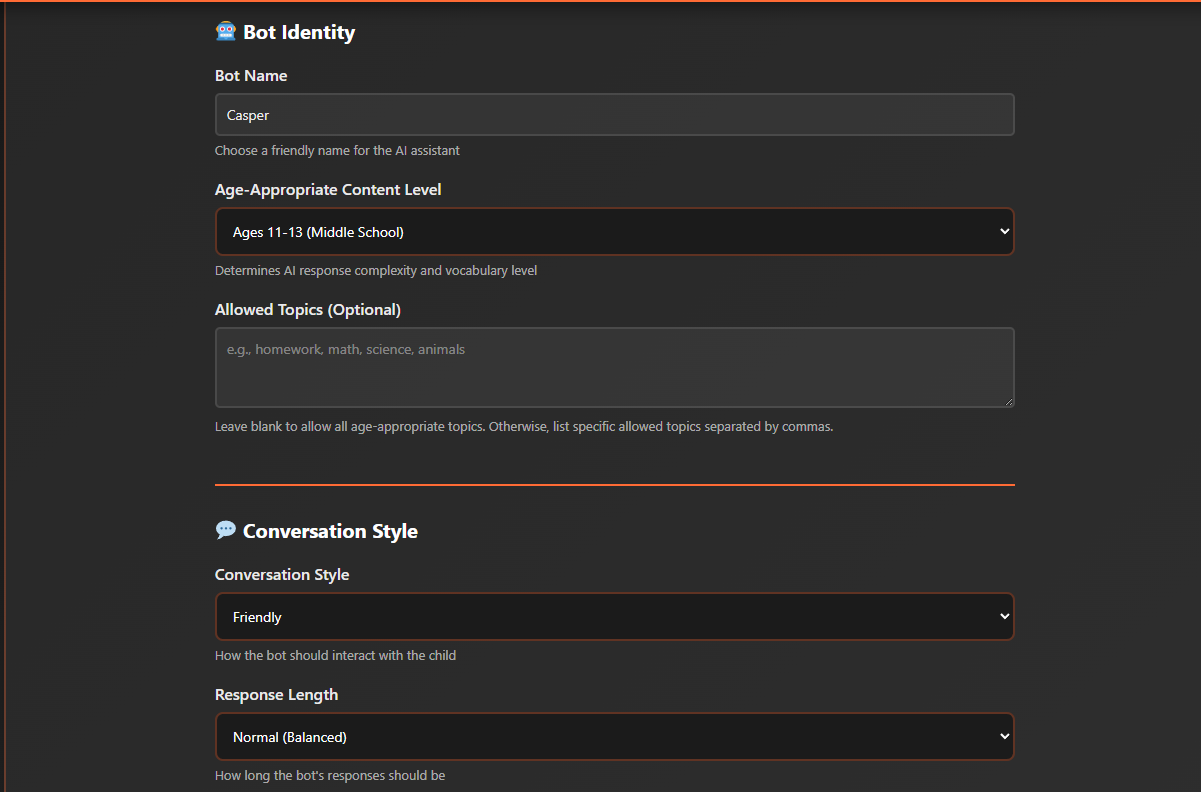
Determines AI response complexity and vocabulary level
Ages 6-10 uses simple words and short sentences. Ages 14-17 can include more complex concepts and vocabulary.
Leave blank to allow all age-appropriate topics. Otherwise, list specific allowed topics separated by commas.
Entering "science, animals, space" means the bot will only discuss these topics with your child.
Conversation Style
How the bot should interact with the child
Playful: "Wow! That's a super cool question! Let me tell you about dinosaurs! 🦕"
Educational: "Great question! Dinosaurs lived millions of years ago. Let's explore why they became extinct."
How long the bot's responses should be
Short: "The sky is blue because of how sunlight scatters in the atmosphere."
Detailed: "The sky appears blue because of a phenomenon called Rayleigh scattering. When sunlight enters Earth's atmosphere, it collides with air molecules. Blue light has a shorter wavelength and scatters more than other colors, making the sky appear blue during the day."
Primary language for bot responses
Allow bot to use emojis in responses
With emojis: "That's amazing! 🌟 You're doing great! 👍"
Without emojis: "That's amazing! You're doing great!"
Web Search Settings
Bot can search the internet to provide up-to-date information (always uses safe search)
Your child asks "What's the weather like today?" - with web search enabled, the bot can provide current, accurate weather information.
Always filter search results for child-appropriate content (recommended)
Safe search filters out inappropriate content, violence, adult material, and other unsuitable results to ensure your child only sees age-appropriate information.