
👥 Friends Chat
Connect and chat with your friends in real-time. Share ideas, collaborate, and stay connected with private one-on-one conversations.
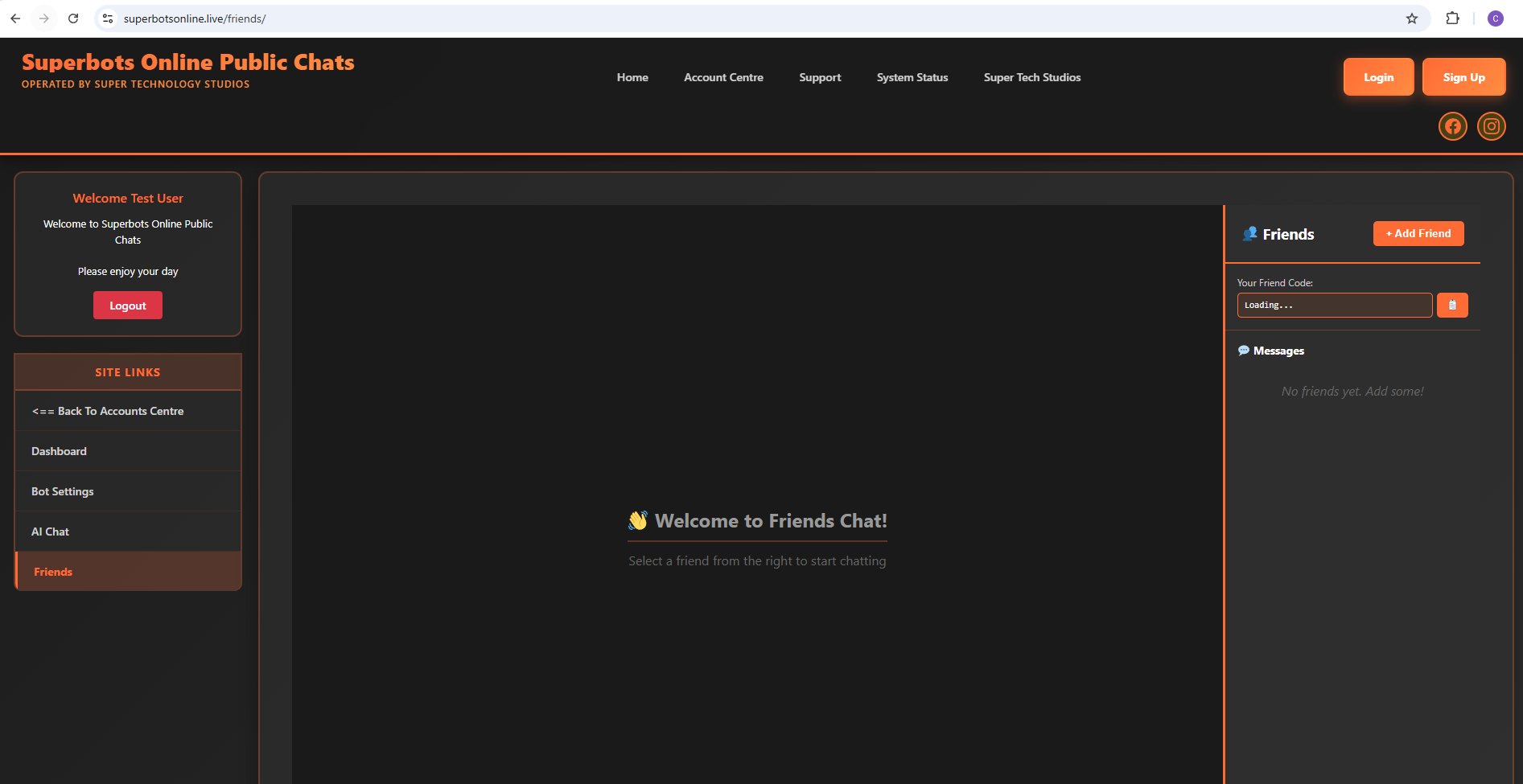
The Friends Chat interface is divided into three sections: the menu on the left for navigation, your chat conversation in the center, and your friends list on the right. Select a friend from your friends list to start chatting, or click "+ Add Friend" to connect with new people using their friend code.
Interface Layout
Left Menu
Navigate between Dashboard, Bot Settings, AI Chat, and Friends. Quick access to all your account features from one sidebar.
Center Chat
Your main conversation area. Chat with selected friends in real-time with full message history and instant delivery.
Right Friends List
See all your friends, their online status, unread message counts, and your friend code. Click "+ Add Friend" to connect with new people.
Friends Chat Features
- Real-time messaging with instant delivery
- See when friends are online with status indicators
- Full conversation history saved automatically
- Add friends using unique friend codes
- Manage friend requests and connections
- Private, secure conversations
- Unread message notifications and counts
- Simple, intuitive three-panel layout
To start chatting with friends, first generate your friend code in the Friends section (or from the Dashboard). Share your code with people you want to connect with, or enter their code to send them a friend request. Once you're connected, simply click their name in the friends list to start chatting!